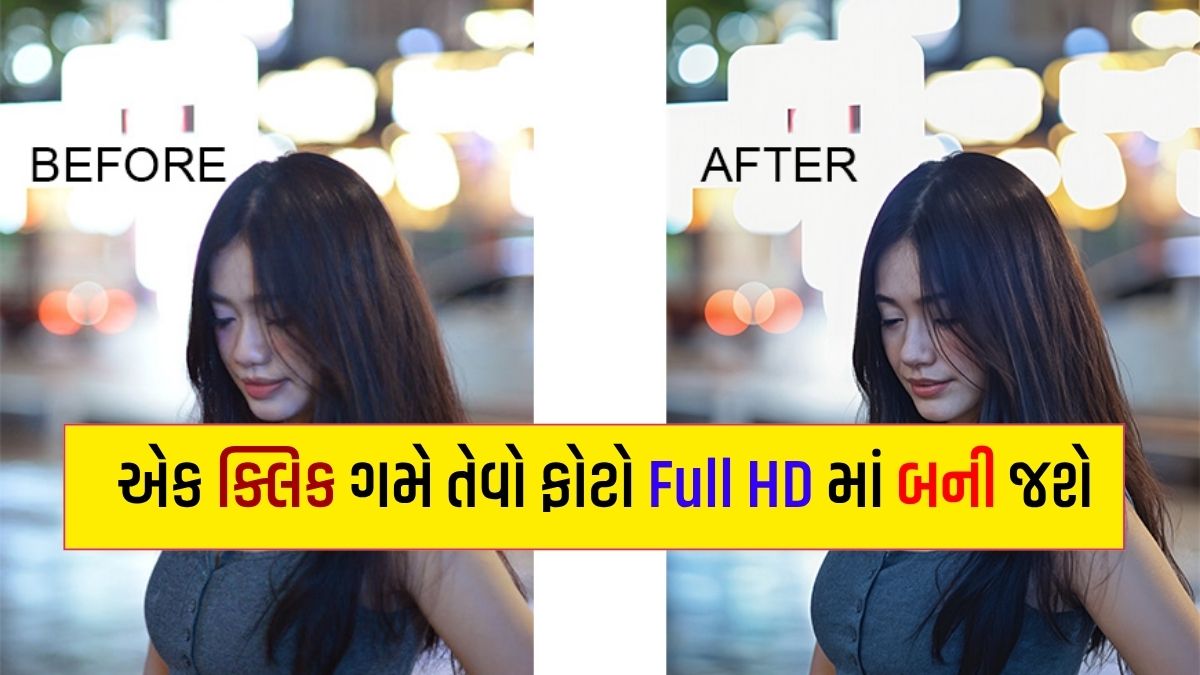
Have you ever taken a great photo only to discover that it looks blurry, pixelated, or less sharp than expected? It happens more often than you might think. Whether you’re capturing a memorable moment, creating content for social media, or uploading product photos to your website, poor image quality can be frustrating.
The good news is that you don’t always need professional editing software to fix these problems. A free AI photo enhancer online can help improve image clarity, sharpen details, reduce noise, and make low-resolution pictures look better in just a few clicks.
In this guide, we’ll explore some of the best AI photo enhancer tools available in 2026, explain how they work, and help you choose the right option for your needs.
What Is an AI Photo Enhancer?
An AI photo enhancer is an image-editing tool that uses artificial intelligence to improve the appearance of a photograph. Instead of requiring you to adjust every setting manually, it analyzes the image and automatically applies suitable enhancements.
Depending on the tool, these improvements may include sharpening blurry areas, correcting colors, reducing image noise, enhancing facial details, and increasing image resolution.
Some tools can also restore old photographs or enlarge small images for use on websites, presentations, and social media platforms.
However, results depend on the original image and the tool you choose. AI can improve the appearance of a photo, but it cannot always recover details that were never captured in the first place.
Best AI Photo Enhancer Online Free in 2026
Here are five popular tools worth trying if you want to improve your photos without learning complicated editing techniques.
1. Remini – Best for Face Enhancement
Remini is well known for enhancing portraits and improving facial details in low-quality photographs. It can be useful when an old family picture, selfie, or portrait looks soft or blurry.
Best for:
- Enhancing portraits and selfies
- Improving facial clarity
- Restoring old photographs
- Making personal photos look sharper
Remini is particularly useful for face-focused enhancements. Keep in mind that some features may require a paid plan, and AI-generated facial details may not perfectly match the original person.
2. Let’s Enhance – Best for Increasing Image Resolution
Let’s Enhance focuses on improving image resolution and enlarging pictures for different uses. It can be helpful when you have a small image that needs to look clearer on a website or in a digital design.
Best for:
- Upscaling low-resolution images
- Preparing images for websites
- Improving product photographs
- Enlarging images for digital projects
Free usage may be limited, so check the current plan before processing a large number of images.
3. Fotor AI Photo Enhancer – Best for Beginners
Fotor offers an accessible photo-editing experience with AI-powered enhancement features. Its straightforward interface makes it a practical choice for people who want to improve an image without spending much time learning editing software.
Best for:
- Improving brightness and sharpness
- Enhancing social media photos
- Making quick image adjustments
- Combining enhancement with other editing tools
Fotor may offer both free and paid features. Availability can vary depending on the feature and account plan.
4. VanceAI – Best for Sharpening and Noise Reduction
VanceAI provides AI-powered image processing tools designed for tasks such as sharpening, upscaling, and reducing unwanted noise.
If your photo looks grainy or lacks detail, these tools may help produce a cleaner-looking result.
Best for:
- Reducing image noise
- Sharpening soft photographs
- Upscaling smaller images
- Improving the appearance of digital pictures
Check its current free-use limits and download options before choosing it for regular work.
5. Canva AI Photo Enhancer – Best for Content Creators
Canva is a convenient option for bloggers, marketers, and social media creators who want to improve photos and use them in designs.
Depending on the available tools in your account, you can enhance an image and then incorporate it into a blog graphic, social media post, presentation, or promotional design.
Best for:
- Blog featured images
- Instagram and Facebook posts
- Marketing graphics
- Quick photo edits and designs
Some AI features may be restricted to eligible plans. Review the current feature availability before relying on a specific tool.
How to Choose the Right AI Image Enhancer
Not every photo enhancer works equally well for every image. The right choice depends on what you want to improve.
| Your Requirement | Tool to Consider |
|---|---|
| Blurry faces and portraits | Remini |
| Increasing image resolution | Let’s Enhance |
| Simple photo editing | Fotor |
| Sharpening and noise reduction | VanceAI |
| Blog and social media designs | Canva |
These are general recommendations rather than a ranking based on identical benchmark tests. Try the available free options on a sample image to see which one delivers the most natural result.
How to Enhance a Photo Online Using AI
Most online AI photo enhancers follow a similar process. You can usually improve an image without installing any software.
Step 1: Choose an AI photo enhancer
Open the website of your preferred tool and check whether it offers a free enhancement option.
Step 2: Upload your photo
Select the image you want to improve from your computer or mobile device. Common formats such as JPG and PNG are supported by many tools, although the exact requirements vary.
Step 3: Apply AI enhancement
Choose the enhancement, sharpening, restoration, or upscaling option available on the platform. Some tools process the image automatically after uploading.
Step 4: Preview the result
Compare the enhanced version with the original. Look for improved clarity without unnatural skin textures, excessive sharpening, or strange-looking details.
Step 5: Download the image
If you’re satisfied with the result, download the enhanced photo. Check whether the free version adds a watermark, limits resolution, or requires an account.
That’s it. You can now use the improved image for your personal projects, website, or social media content.
Why Use an AI Photo Enhancer?
AI photo enhancement can be useful in several everyday situations.
Save Time on Editing
Manual editing can involve adjusting sharpness, contrast, exposure, and other settings. AI tools automate many of these steps, making quick improvements easier.
Improve Social Media Photos
Clear images can make your posts, profile pictures, and promotional graphics look more polished. This is particularly useful when preparing content for Instagram, Facebook, and other visual platforms.
Make Product Images Look Better
Online sellers can use image enhancement to improve the presentation of product photographs. Clearer images may help customers examine product details, although better images alone do not guarantee more sales.
Improve Blog Images
For bloggers, good-quality images can make articles more visually appealing. AI enhancement may help when an image is slightly soft or too small for its intended placement.
Restore Old Photographs
Some AI tools can improve faded, grainy, or low-resolution family photographs. The results can be impressive, but heavily damaged images may still need manual restoration.
Is It Possible to Convert a Blurry Photo into HD for Free?
Yes, some AI photo enhancers offer free features that can improve blurry images or increase their resolution. However, free access usually comes with certain limitations.
A tool may restrict the number of images you can process, reduce the available download resolution, add a watermark, or reserve advanced features for paid users.
It’s also important to understand that increasing an image’s resolution does not automatically restore every missing detail. AI may generate plausible-looking textures or facial features, so always review the final image carefully.
If you’re enhancing an important photograph, save a copy of the original before making changes.
Tips for Getting Better Results from AI Photo Enhancers
You can often get better results by following a few simple practices:
- Start with the best available original: A less-compressed image generally gives the AI more information to work with.
- Avoid excessive enhancement: Strong sharpening can make faces and edges look unnatural.
- Compare before and after: Check whether the result genuinely improves the photo.
- Choose the right tool: Face restoration, image upscaling, and noise removal are different tasks.
- Protect your privacy: Avoid uploading sensitive personal photographs to unfamiliar websites. Review the platform’s privacy policy before using it.
- Check commercial-use terms: If you plan to use enhanced images for advertising or product listings, review the tool’s applicable terms.
How AI Photo Enhancers Can Help Bloggers and Online Businesses
Visual quality matters when publishing content online. Bloggers can use AI tools to prepare clearer featured images, while digital marketers can improve photographs used in promotional materials.
For online stores, enhanced product images can present items more clearly. Social media managers may also find these tools helpful when preparing images for posts and campaigns.
However, AI enhancement should be part of a broader content strategy. Image quality alone does not guarantee higher search rankings, increased engagement, or better conversion rates.
For bloggers, it’s also worth optimizing image dimensions, file size, and format before uploading pictures to WordPress. A visually clear image that loads quickly offers a better experience for readers.
Frequently Asked Questions (FAQs)
1. Which is the best AI photo enhancer online free in 2026?
The best option depends on your needs. Remini is worth considering for portraits, Let’s Enhance for image upscaling, Fotor for general editing, VanceAI for sharpening, and Canva for content creation. Free features and limits vary.
2. Can AI make a blurry photo clear?
AI can improve some blurry photos by sharpening edges, reducing noise, and reconstructing plausible details. However, extremely blurry images may not become perfectly clear.
3. Can I enhance photos on my mobile phone?
Yes. Many AI photo enhancers work through mobile browsers, while some also provide dedicated apps. Check device compatibility before choosing a tool.
4. Do free AI photo enhancers add watermarks?
Some free tools may add watermarks or limit download quality, while others offer free downloads without them. Check the current conditions of the service you’re using.
5. Is an AI photo enhancer safe to use?
Reputable tools can be useful, but you should review their privacy policies and upload only images you’re comfortable sharing with that service. Avoid uploading sensitive photographs to unknown websites.
6. Can AI increase image resolution without losing quality?
AI upscaling can increase pixel dimensions and improve perceived clarity. However, it cannot guarantee perfect preservation of the original details, and some enhanced details may be AI-generated.
Final Words
A good AI photo enhancer online can make it easier to improve blurry pictures, sharpen portraits, upscale low-resolution images, and prepare better visuals for blogs or social media.
If you mainly want to improve faces, start by exploring Remini. For enlarging images, consider Let’s Enhance, while Fotor and Canva are useful options for general editing and content creation. VanceAI is another tool to explore for sharpening and noise reduction.
Before choosing a service, compare its results, free-use limits, download quality, and privacy terms. The best tool is the one that improves your particular photo while keeping it looking natural.
Try one of these AI photo enhancement tools with a sample image and compare the result with your original. You may be able to improve your pictures in just a few clicks without needing advanced editing skills.